Trade without switching terminals.
Select TXFlow in the same workspace as your other supported exchanges. Review the market, chart, and order ticket before submitting a trade.
TXFlow trading terminal
Connect TXFlow with your wallet and trade perpetuals linked to crypto, stocks, ETFs, and commodities in Proliquid. Keep news, charts, and execution in one workspace. Available markets depend on the venue and live market picker; these contracts do not grant ownership of the underlying assets.
Last updated
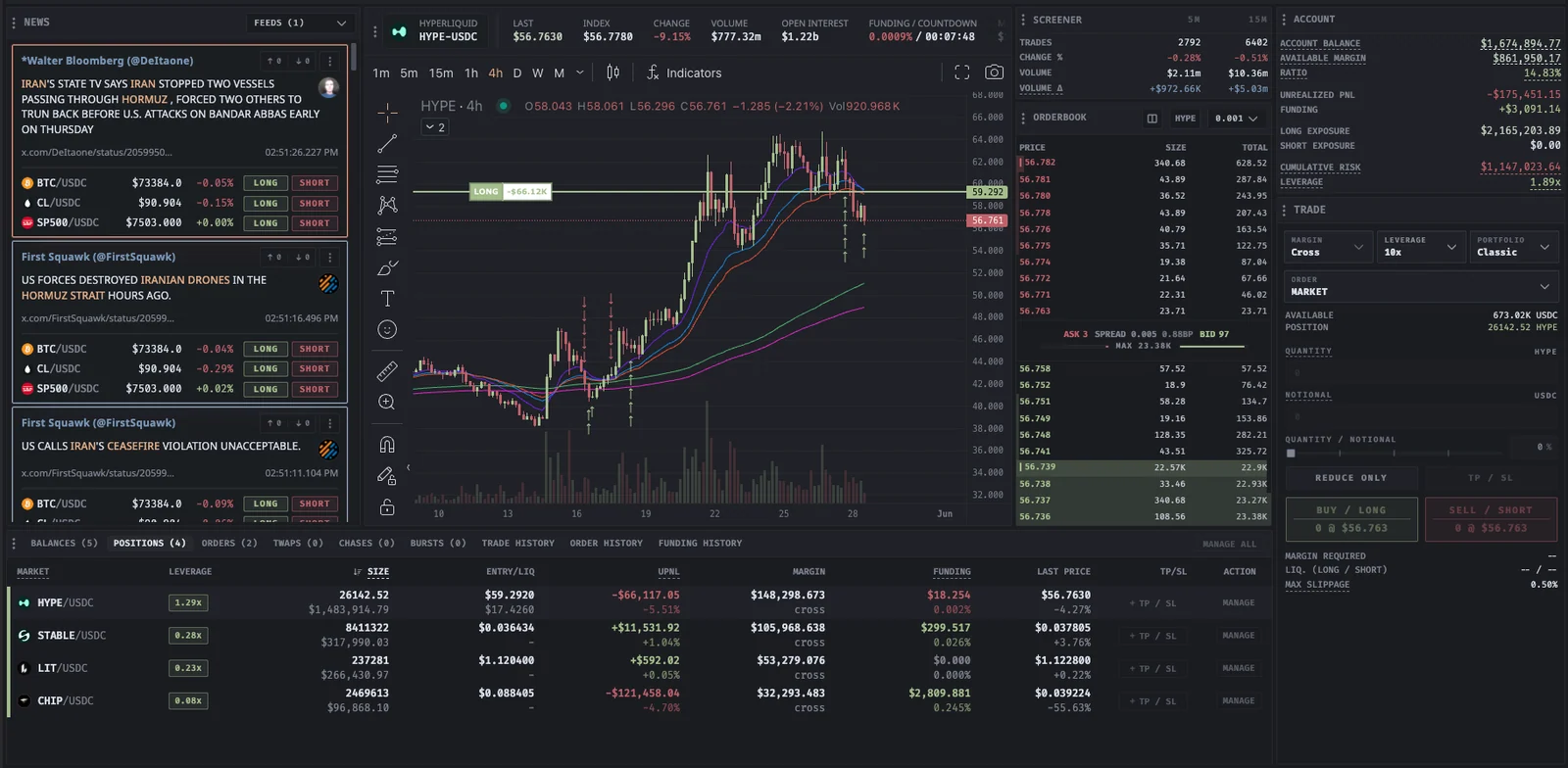
TXFlow trading terminal
Built for your next move
Select TXFlow in the same workspace as your other supported exchanges. Review the market, chart, and order ticket before submitting a trade.
Use TXFlow charts and the screener to inspect price, volume, and market activity before choosing an order. Keep relevant news beside the chart and trade form.
Use your wallet and approve agent trading access as prompted. Review permissions before signing. Connecting alone does not place a trade, and your credentials stay on your device.
Trade across Hyperliquid, Binance, Bybit, OKX, BloFin, RISEx, Lighter, Extended, and TXFlow in one workspace. Market, Limit, Chase, Scale, TWAP, and Iceberg controls depend on the selected venue and market; check the live trade form.
| Area | On TXFlow | Good to know |
|---|---|---|
| Markets | Crypto, stock, ETF, and commodity perpetuals | Availability follows the live market picker; contracts do not confer underlying asset ownership |
| Connection | Wallet and agent trading authorization | Review permissions before signing; credentials stay on your device |
| Workspace and tools | News, charts, and execution in one terminal | Market data and order controls vary by venue and market |
| Cost | Volume-based Proliquid fee | As low as 0.005%; exchange fees separate |
There is no monthly subscription. Confirm market availability, collateral, supported order controls, and all applicable fees in the live trade form before submitting an order.
Read the documentation
In your workflow
Confirm the market, permissions, and costs before submitting an order.
Trade TXFlowOpen the terminal, choose TXFlow, and select an available perpetual in the live market picker. Confirm the underlying exposure and contract details.
Connect your wallet and approve trading access as prompted. Review the agent authorization and each signing request before accepting.
Check the order settings, collateral, and Proliquid and exchange fees. Submit when ready, then manage your orders and positions in the terminal.
Select TXFlow in the terminal, connect your wallet, and approve agent trading access as prompted. Review permissions before signing. TXFlow uses wallet authorization rather than centralized-exchange API credentials; connecting alone does not place a trade.
TXFlow offers perpetuals linked to crypto, stocks, ETFs, and commodities. Available contracts depend on the venue and live market picker. These contracts provide price exposure and do not grant ownership of the underlying assets.
There is no monthly subscription. TXFlow follows Proliquid's volume-based DEX fee model, with rates as low as 0.005% depending on your volume tier. TXFlow exchange fees apply separately; review all applicable fees before trading.
Use TXFlow charts and the screener alongside news and trading. Market, Limit, Chase, Scale, TWAP, and Iceberg availability depends on the venue and market; the live trade form shows the supported controls.
 YOUR NEXT MOVE STARTS HERE
No subscription. Every tool included.