Trade Extended without switching terminals.
News, signals, charts, and the order ticket stay in the same workspace when you connect Extended, next to your other supported exchanges.
Extended trading terminal
Bring Extended into the workspace you already use for your other exchanges. Connect with your own wallet when you are ready to trade, and keep news, signals, charts, and execution in one place.
Last updated
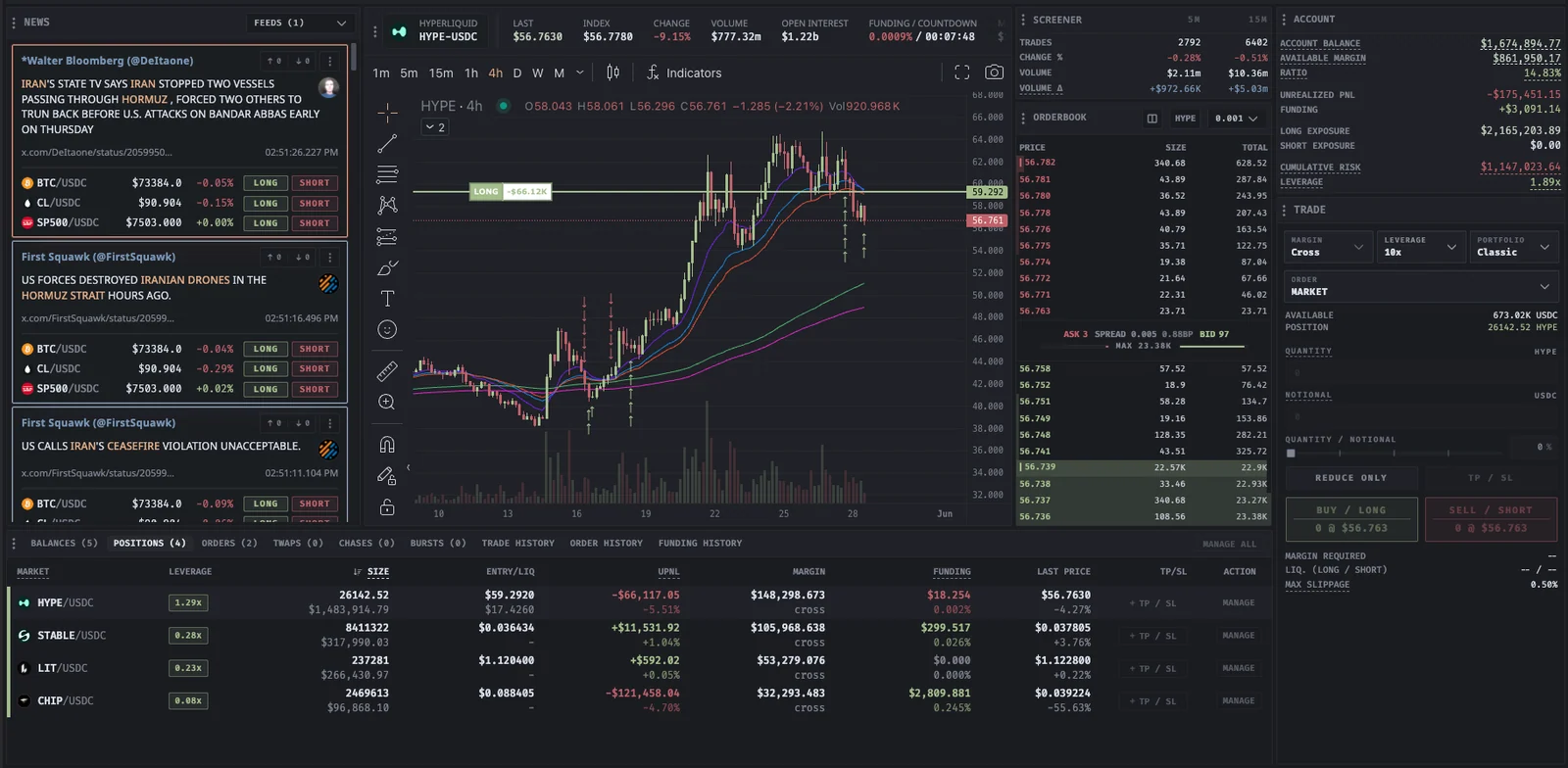
Extended trading terminal
Built for your next move
News, signals, charts, and the order ticket stay in the same workspace when you connect Extended, next to your other supported exchanges.
Short-window activity, funding, and news remain beside the trade form, so you can inspect conditions before sending an Extended order.
Extended is a decentralized exchange, so you connect with your Web3 wallet. Credentials stay on your device and your funds stay in your custody.
Hyperliquid, Binance, Bybit, OKX, BloFin, RISEx, Lighter, Extended, and TXFlow share the same workspace, so moving between venues does not mean rebuilding your setup.
| Area | On Extended | Good to know |
|---|---|---|
| Markets | Extended perpetual markets | The live market picker shows the current list |
| Connection | Web3 wallet | Credentials stay on your device |
| Custody | Your wallet, your funds | Connecting does not transfer funds |
| Intelligence | News, signals, charts, execution | Same workspace as 8 other venues |
| Cost | Volume-based Proliquid fee | As low as 0.005%; exchange fees separate |
Venue support can vary by market and environment. Confirm the exchange, market, and controls in the trade form before submitting an order.
Read the documentation
In your workflow
Start in the public workspace, then connect your wallet when you want to trade.
Connect ExtendedUse the market picker and research tools in the same workspace. Connect Extended when you are ready to trade.
When ready, connect your Web3 wallet. Review each request before signing; connecting does not itself transfer funds.
Confirm the exchange icon, market, and available controls for your account before submitting an order.
Extended is a decentralized exchange, so you connect with your Web3 wallet. Your credentials stay on your device and your funds remain in your custody.
There is no subscription. On supported decentralized exchanges, including Extended, a volume-based Proliquid fee applies, as low as 0.005%. Exchange fees are separate.
News, signals, charts, and the order ticket stay in the same workspace when Extended is connected. Trading controls depend on the venue; the trade form shows what your account supports.
No. Connecting your wallet does not itself place a trade or transfer funds. Your assets stay in your wallet or on the exchange contract.
 YOUR NEXT MOVE STARTS HERE
No subscription. Every tool included.