Check the holding cost.
Compare current funding across supported exchanges and inspect the selected contract. Projected annualized rates can change and are not guaranteed returns.
CoinGlass alternative for Hyperliquid
If your routine is to check CoinGlass and then switch tabs to trade Hyperliquid, Proliquid brings that research into the trading workspace. Inspect funding, liquidation activity, and whale trades beside the chart and order ticket.
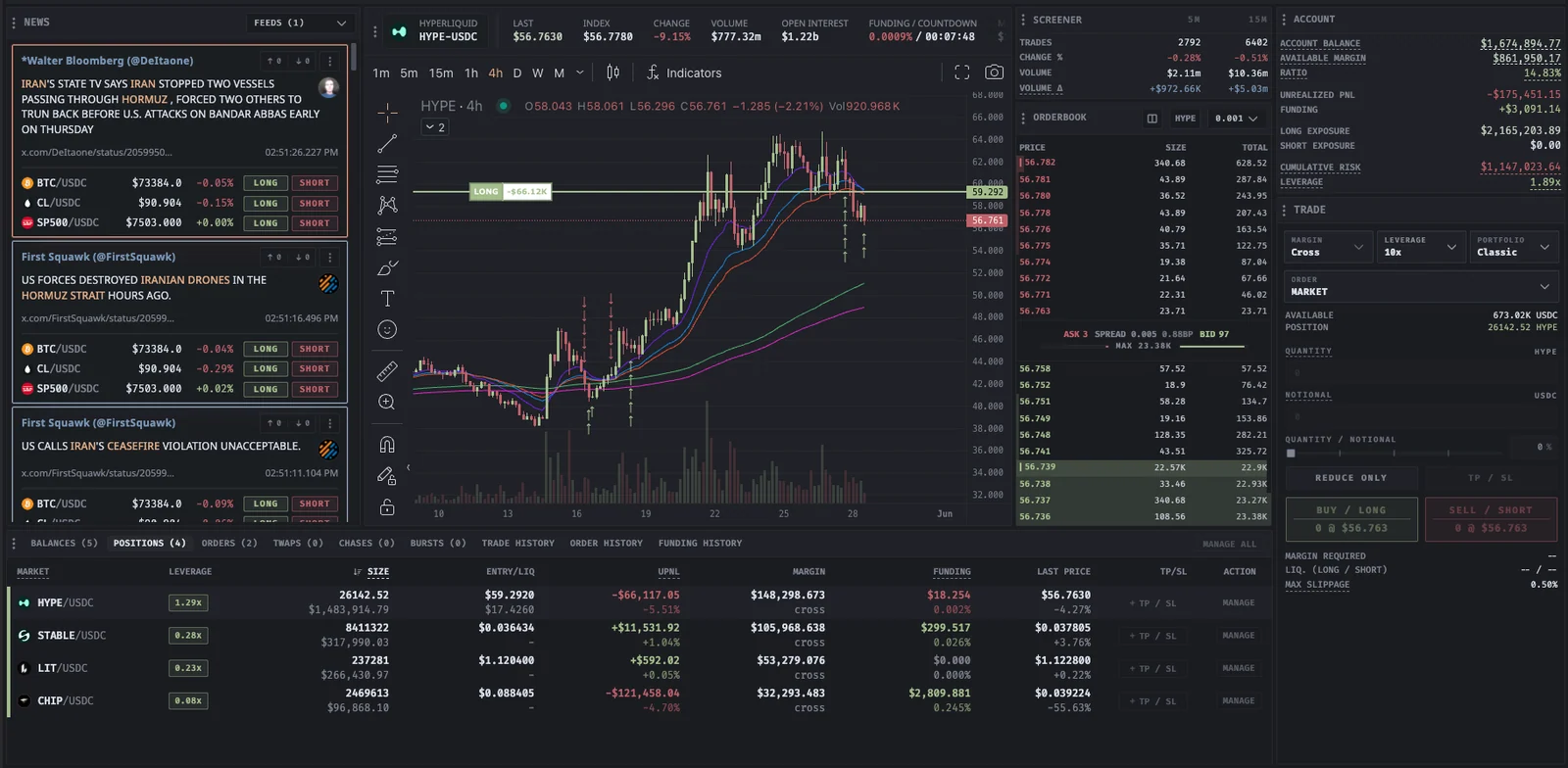
CoinGlass alternative for Hyperliquid
Built for your next move
Compare current funding across supported exchanges and inspect the selected contract. Projected annualized rates can change and are not guaranteed returns.
Read Hyperliquid whale activity and recorded liquidations with estimated liquidation zones. Keep observed events separate from modeled levels.
Set price, timing, and size while the chart and research stay in the same workspace. Choose the advanced order controls supported by your exchange.
| Workflow | CoinGlass | Proliquid |
|---|---|---|
| Whale research | Hyperliquid tracker with wallet positions and recent activity | Hyperliquid whale trades and public address context in the terminal |
| Position context | Displays funding fees, liquidation prices, and a liquidation map | Funding, liquidation events, and estimated zones beside trading tools |
| From research to order | For traders using its analytics page, execution can be a separate workflow | Connected exchange account and order ticket in the research workspace |
Competitor summary reviewed September 12, 2026. This compares the CoinGlass Hyperliquid analytics page, not every CoinGlass product or dataset. Proliquid has no subscription or added CEX fee. Supported DEXs carry volume-based fees, with exchange fees separate. Data coverage and estimation methods differ.
CoinGlass Hyperliquid analytics
Read the documentation
In your workflow
Review the market conditions and the execution settings together.
Open the terminalConfirm the current rate, interval, and selected exchange before assessing the cost of holding a position.
Check recent activity against the chart. Treat estimated liquidation zones as context rather than certain outcomes.
Select the account, size, order type, and supported protection settings. Monitor the order and resulting position.
CoinGlass alternative for Hyperliquid
A few details before you open the app.
Read the documentationIt can cover a workflow built around funding, liquidation activity, whale trades, and Hyperliquid execution in one workspace. It does not claim to reproduce every CoinGlass dataset, historical view, or subscription feature.
No identical-data claim is made. Coverage, refresh behavior, and estimation methods can differ. Proliquid separates market observations such as trades and liquidations from estimated liquidation zones and funding projections.
The terminal has no subscription. Hyperliquid trading carries a volume-based Proliquid builder fee starting at 0.0200% and falling to 0.0050% at VIP4. Hyperliquid exchange fees remain separate.
 YOUR NEXT MOVE STARTS HERE
No subscription. Every tool included.