Trade the story behind the move.
AI news from 500+ sources sits beside your Binance chart. Matched markets and price reaction connect a headline to the perpetual you can actually trade.
Binance trading terminal
Connect your Binance USD-M Futures account and keep AI news, proprietary signals, charts, and the order ticket in one view. Proliquid adds no trading fee on Binance, and your API keys stay on your device.
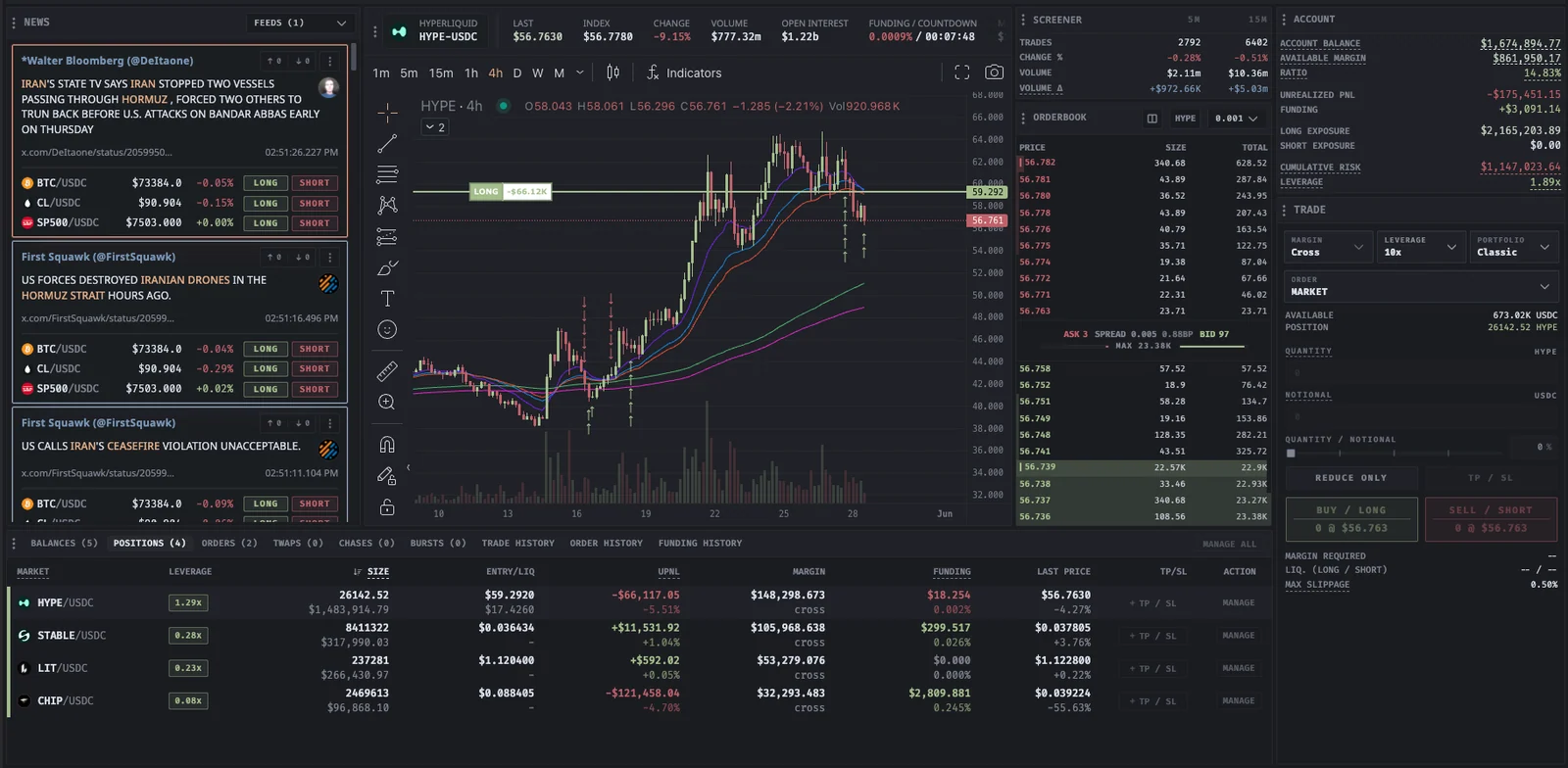
Binance trading terminal
Built for your next move
AI news from 500+ sources sits beside your Binance chart. Matched markets and price reaction connect a headline to the perpetual you can actually trade.
Use Binance as the statistics source for 5-minute and 15-minute trade count, volume, price change, and volume delta, with funding and open interest alongside.
Use Market, Limit, Scale, Chase, Iceberg, TWAP, and Burst workflows where the venue supports them, with orders and positions in the same terminal.
Funding, open interest, and market comparisons across supported exchanges sit next to your Binance account, so a venue decision uses real data.
| Area | On Binance | Good to know |
|---|---|---|
| Markets | USD-M USDT perpetual futures | The live market picker shows the current list |
| Connection | USD-M Futures API credentials | Keys stay on your device |
| Execution | Advanced orders where supported | The trade form shows available controls |
| Intelligence | News, screener, funding, compare | Binance data beside seven other venues |
| Cost | Binance fees only | Proliquid adds no fee on Binance |
Venue support can vary by market, account mode, and region. Check the trade form for the controls available on your account.
Read the documentation
In your workflow
Binance connects through USD-M Futures API credentials. The setup keeps your keys local and your funds on Binance.
Connect BinanceAdd your Binance USD-M Futures API key in Proliquid. Credentials stay on your device and are not stored on Proliquid servers.
Pick markets in the live picker, set watchlists and alerts, and put news and screener data beside the chart.
Review the order type, size, and reduce-only settings in the trade form, then follow fills and positions without leaving the workspace.
Yes. Connect your Binance USD-M Futures API credentials and trade USDT perpetuals with charts, news, signals, and advanced execution in one workspace. Your funds stay on Binance.
No. Proliquid adds no trading fee on Binance, and there is no subscription. Binance's own trading fees still apply and are charged by the exchange.
Your API keys stay on your device. Proliquid does not store them on its servers, and disconnecting removes the session from the workspace.
Availability depends on the venue and market. The trade form shows the supported controls, and advanced workflows such as Chase, Iceberg, TWAP, and Burst appear where the exchange supports them.
 YOUR NEXT MOVE STARTS HERE
No subscription. Every tool included.